
MyAPNIC
MyAPNIC is the secure online portal for APNIC Members to manage Internet resources, update contact information, and receive APNIC services online.
It’s designed for you by making essential resource management, simple, secure and reliable.
MyAPNIC allows you to:
MyAPNIC gives APNIC Members and account holders a secure, centralized way to manage their Internet number resources and Membership account information. With MyAPNIC you can:
- Manage Internet Number Resources: View and manage IPv4, IPv6, and ASN allocations in one place.
- Keep your records accurate: Keep resource records accurate in the APNIC Whois Database – supporting global routing accuracy and Internet transparency.
- Improve routing and DNS security: Access RPKI and DNSSEC services to improve routing security and DNS integrity.
- Handle administration easily: Pay invoices, manage membership, update account details, and manage contacts.
- Secure your account: Protect your account with Two-Factor Authentication and role-based access controls.
- Plan for the future: Request IPv6 address space and access resources to help you plan and implement IPv6.
- Participate in the Internet community: Play an active role in the regional and global Internet resource community by voting in APNIC elections.
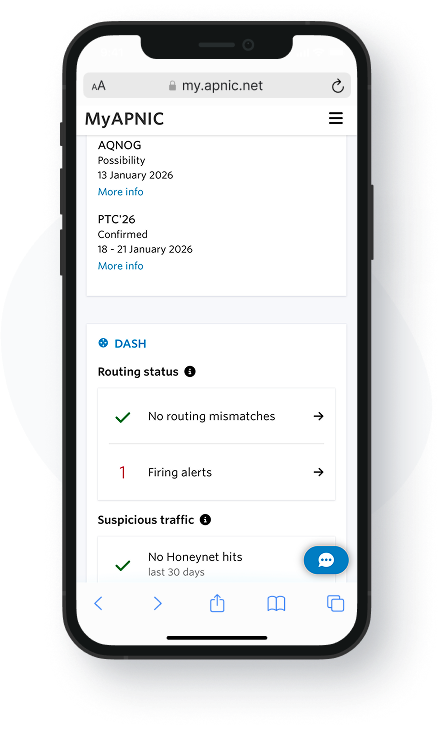
How to Use MyAPNIC
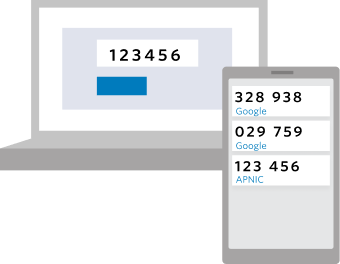
Accessing MyAPNIC starts with an APNIC Login, which is your single sign-on for all APNIC services including APNIC Academy, DASH, ReX, and APNIC Conference Registration.
Once you have an APNIC Login, you can link your APNIC Login to an existing APNIC membership and access the Resource Manager.
If your APNIC Login email matches the Corporate Contacts email for an account, the link will be created instantly. Otherwise, one of your Corporate Contacts will need to approve you to manage resources.
Help using MyAPNIC
For step-by-step instructions on how to register, link your APNIC Login to a membership, and manage access approval, visit the APNIC Help Centre.
You can access specific information in the APNIC Help Centre on:
Set up and securing your MyAPNIC account
- Access MyAPNIC
- APNIC Login
- Manage MFA
- MyAPNIC Security
- Manage Account Contacts
- Manage your membership
Managing your Internet Number Resources
- APNIC Whois Quick Beginners Guide
- IPv6
- IPv4 Pre-approval
- Apply for an ASN
- Reverse DNS
- Route Objects
- Route Management
- Internet Resource Management Course
APNIC Helpdesk is here to help
Our team at APNIC is here to work with you on any issues or support you need using MyAPNIC.
You can call our Helpdesk or reach out over Live Chat.